Interaction prototype ·
Considered
A writing prototype that opens notes beside the sentence that links to them and lets you edit numbers right in the text.
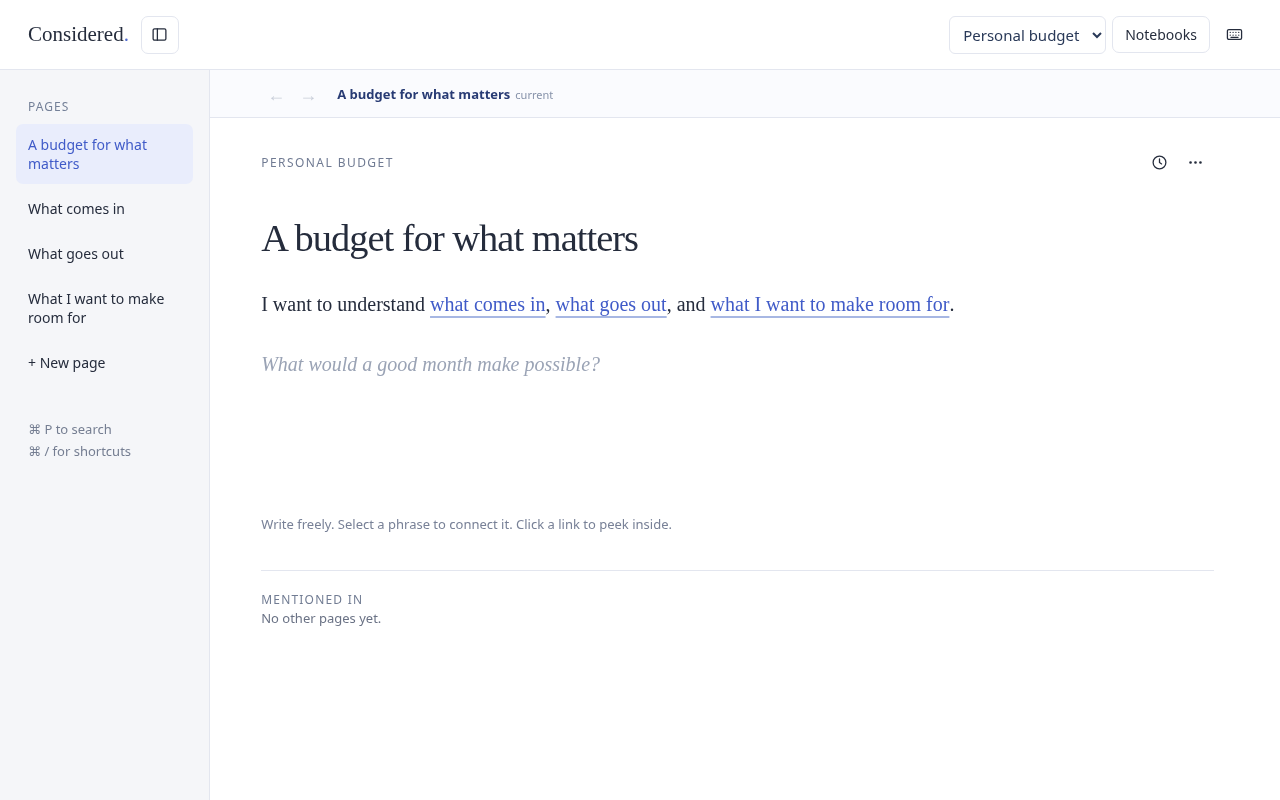
Say you’re writing about a budget and want to check a detail about your spending. In Considered, clicking “spending” opens the note right beside the paragraph you’re writing. You can see what you meant by that phrase and still have the original sentence in front of you.
The starter notebook uses budgeting to show how this works. A phrase can link to another thought or a source, and you can edit a number right where it appears in the writing.
Try Considered with the starter notebook.
Follow a thought without losing your place
In the clip, I check spending, open priorities, then close the panel. The paragraph is still where I left it.
Give a phrase its own note
Here I get to “unexpected costs” and give it a note of its own. I select the phrase and create a linked page, which opens beside the sentence so I can add more detail.
Change a number where it comes up
Here I change an example monthly amount from $2,400 to $2,600. I can make the edit in the sentence where the number is used.
What I’d try next
The side panel feels right to me. I can follow a thought and still see the train of thought that got me there. What still needs work is how the main note gets rewritten when related notes change.
I’d like to put this through its paces on something real and see how it holds up.